


 Github Stars:
 Last Commit:
  Created:

Overview
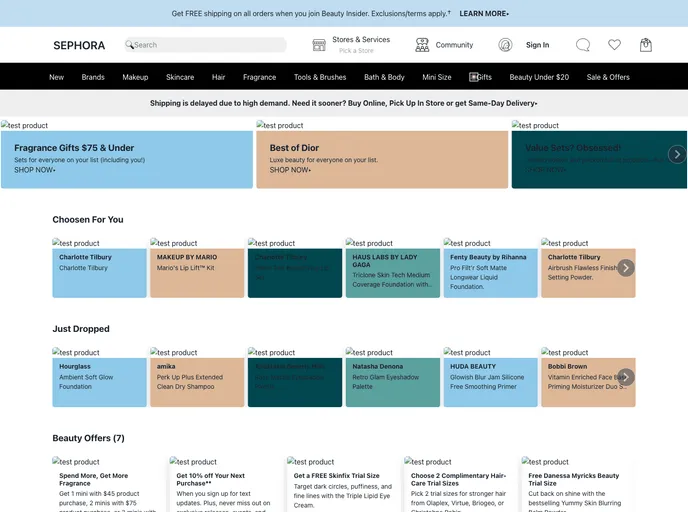
We are a group of five members who have created a clone of Sephora.com during our construct week at Masai School. Our application is a full stack application with both frontend and backend functionality. We have implemented various features including login/signup, product filtering and sorting, specific user wishlist and orders, add to cart with promo code, and checkout.
Features
- Login/Signup from Email and Google Account: Users can sign up or log in using their email or Google account.
- Product Filtering and Sorting: Users can filter and sort products based on specific criteria.
- Product categories: The application includes different sections for various product categories.
- Single Product Page: Users can view detailed information about a specific product on a dedicated page.
- Specific user Wishlist: Each user has their own wishlist with personalized product selections.
- Specific user Order: Users can view their previous orders and track their status.
- Add to Cart with Promo Code: Users can add items to their cart and apply promo codes for discounts.
- Checkout: Users can complete their purchase by checking out and providing necessary information.
Installation
To install the SEPHORA clone, you can follow these steps:
- Clone the repository to your local machine:
git clone [repository-url]
- Install the necessary dependencies:
npm install
- Start the development server:
npm start
- Access the application on
localhost:3000.
Summary
In summary, our group has successfully created a clone of Sephora.com with all the essential features including login/signup, product filtering and sorting, specific user wishlist and orders, add to cart with promo code, and checkout. This application can serve as a convenient platform for users to browse and purchase beauty products.


