


 Github Stars:
 Last Commit:
  Created:


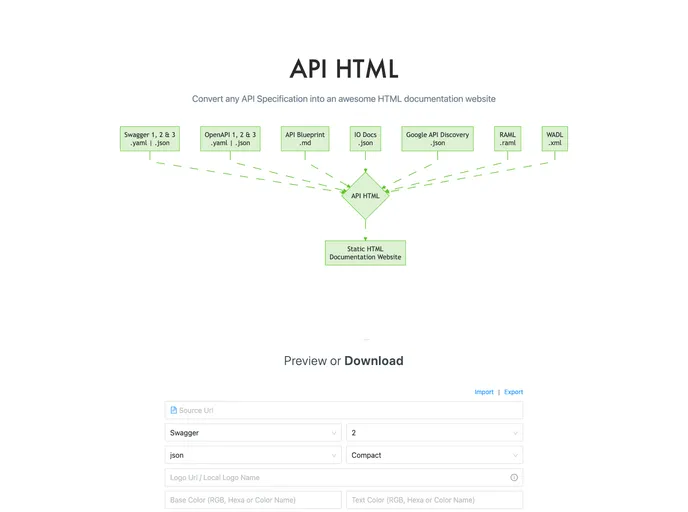
Overview
API HTML is a tool that allows users to convert any API Specification into an awesome HTML documentation website. It provides a way to easily create a static website that showcases API documentation in a user-friendly format.
Features
- Convert any API Specification into HTML documentation
- CLI tool for easy usage
- Supports various API specification types like Swagger, OpenAPI, API Blueprint, IO Docs, Google, RAML, and WADL
- Customizable theme options to match the branding and style of the API documentation
- Options to show or hide coding section, search feature, “try out” button, BackToTop button, credit link, etc.
- Ability to add custom scripts to the head and foot tags
- Meta keywords and description options for SEO optimization
- API versioning support
- Header menu customization
Installation
To install the API HTML tool, follow these steps:
- Open your terminal or command prompt.
- Run the following command:
npm i api-html -g - Wait for the installation to complete.
Summary
API HTML is a powerful tool that simplifies the process of creating HTML documentation for API specifications. With its CLI tool and customizable options, users can easily convert API specifications into user-friendly static websites. It supports various API specification types and provides options for theme customization, SEO optimization, and API versioning. Overall, API HTML is a valuable tool for developers and API providers looking to showcase their API documentation in a professional and engaging manner.


