


 Github Stars:
 Last Commit:
  Created:
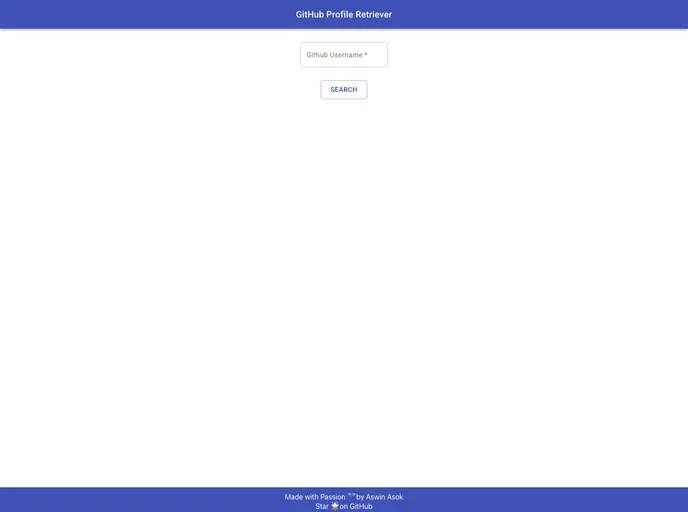
Overview
Create React App is an incredibly useful tool for developers looking to kickstart their React applications with minimal setup. It simplifies the initial configuration process, allowing you to focus on building rather than spending time dealing with complex configurations. This project setup comes with built-in scripts that streamline development, testing, and deployment tasks, making it accessible for both beginners and seasoned developers.
The structure provided by Create React App is designed to help you get your application up and running quickly without losing the ability to customize it down the line. With a focus on efficiency and user experience, this toolkit allows you to create optimized, production-ready applications with ease.
Features
Development Mode: Run your app easily in development mode using
npm start, and see real-time updates in the browser as you make changes.Interactive Testing: Launch your testing suite with
npm test, which includes an interactive watch mode for streamlined debugging and assessment.Production Builds: Generate a minified, optimized production build of your app using
npm run build, ready for deployment with performance in mind.Ejecting Capabilities: With the
npm run ejectcommand, you can take complete control of your build configuration, allowing for deeper customization if needed—though this step is irreversible.User-Friendly Scripts: Enjoy a curated feature set that’s specifically designed for small to medium deployments, ensuring flexibility without overwhelming complexity.
Comprehensive Documentation: Access a wealth of information and guidance through the extensive Create React App documentation, as well as direct links to React learning resources.
Code Splitting Support: Easily implement code splitting to optimize loading times and enhance the overall user experience.
Advanced Configuration Options: While it’s easy to get started with the default settings, advanced users can similarly explore configurational adjustments for further tailoring their projects.


