


 Github Stars:
 Last Commit:
  Created: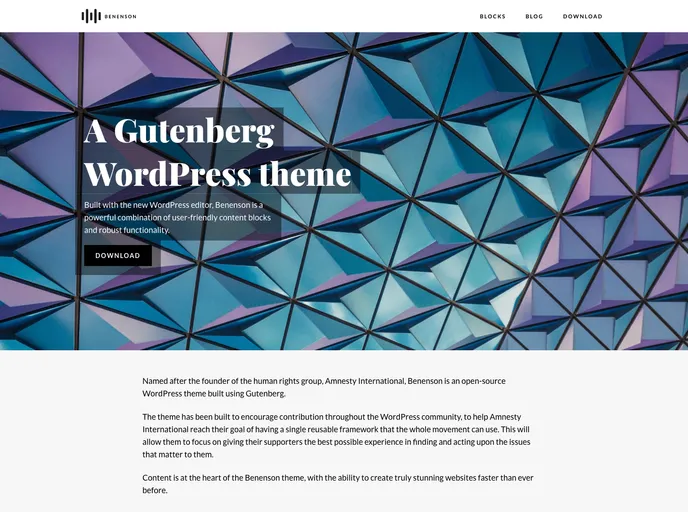
Overview
Benenson is a WordPress theme that offers a clean and modern design for websites. This theme is compatible with WordPress version 5.0 or higher and requires PHP version 5.6 or higher. It also includes third-party resources such as Playfair Display and Lato fonts from Google Fonts, Feather Icons, and IcoMoon Free Icons. The theme development details can be found in the GitHub Wiki, and the changelog is available on the Releases page.
Features
- Clean and modern design: Benenson offers a visually appealing and contemporary design for your website.
- Compatibility with WordPress: This theme is compatible with WordPress version 5.0 or higher, ensuring smooth functionality and updates.
- Playfair Display & Lato fonts: Benenson includes the elegant Playfair Display font and the readable Lato font, both served from Google Fonts.
- Third-party resources: The theme bundles Feather Icons and IcoMoon Free Icons, providing a wide range of icons for customization.
Installation
To install the Benenson theme, follow these steps:
- Ensure that you have WordPress version 5.0 or higher and PHP version 5.6 or higher installed.
- Download the theme files from the designated source.
- Extract the downloaded zip file to your WordPress themes directory (
wp-content/themes). - Go to your WordPress admin dashboard and navigate to the “Appearance” section.
- Find the Benenson theme in the list of available themes and click the “Activate” button to activate it.
Summary
Benenson is a WordPress theme with a clean and modern design that is compatible with WordPress version 5.0 or higher. It requires PHP version 5.6 or higher for optimal functionality. The theme includes elegant fonts from Google Fonts, as well as various third-party resources such as Feather Icons and IcoMoon Free Icons. Theme development details can be found in the GitHub Wiki, and the changelog is available on the Releases page. Overall, Benenson provides a visually appealing and customizable option for WordPress websites.


