


 Github Stars:
 Last Commit:
  Created:


Overview
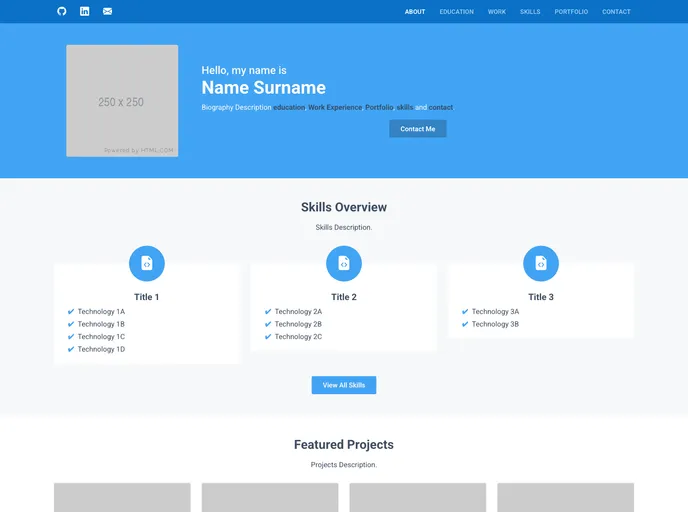
The JSON Portfolio Website is a ReactJS and Bootstrap 5 framework website that dynamically creates a multi-page portfolio site from several JSON files. It has a central customization functionality and deployment pipeline. The website is responsive and adapts to different screen sizes, from phones to desktops. It showcases projects defined in JSON files and allows for the definition of slide-shows, links, and videos for each project. The website includes sections for personal biography, social media links, education, work, projects, and contact information.
Features
- Responsive ReactJS website that reads information from multiple JSON files.
- Automatic deployment of the website on each commit to the project.
- Adapts to different screen sizes, from phones to desktops.
- Showcase projects defined in JSON files.
- Ability to define slide-shows, links, and videos for projects.
- All sections are defined through the use of JSON files.
- Supports personal biography, social media links, education, work, projects, and contact sections.
Installation
To preview the website locally, follow these steps:
- Open the terminal and navigate to the project directory.
- Run the command
npm installto install the website packages. - Run the command
npm startto launch the website in a local environment. - Press
CTRL + Cin the terminal to terminate the website process.
To deploy the website, follow these steps:
- Fork the repository with
github-username.github.ioas your repository name. - Open the
package.jsonfile and change"name": "json-portfolio"to"name": "github-username". - Open the
package-lock.jsonfile and change"name": "json-portfolio"to"name": "github-username"for both the root and packages. - In the
package-lock.jsonfile, change"homepage": "."to"homepage": "https://github-username.github.io/". - In the
public/index.htmlfile, change<title> JSON Portfolio </title>to<title> Your Name | Portfolio </title>. - In the
public/index.htmlfile, change<meta name="description" content="..." />to<meta name="description" content="Website Description" />. - Modify the JSON files to reflect your details and upload any necessary images.
- Commit the files on the forked repository.
- In Github, access the repository settings > pages > sources and select
gh-pageswith/(root)folder, then click save.
Summary
The JSON Portfolio Website is a ReactJS and Bootstrap 5 framework website that allows users to create a responsive and customizable portfolio site. It dynamically generates the site using JSON files, showcasing projects and providing sections for personal biography, education, work, and contact information. The website also includes a deployment pipeline to automatically deploy the site on each commit. Overall, it is a convenient and versatile tool for creating professional portfolio websites.


