


 Github Stars:
 Last Commit:
  Created:

Overview:
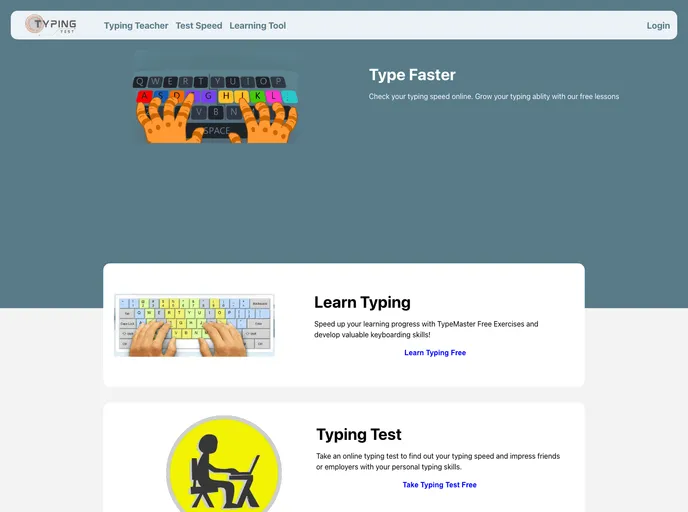
Typing Master is a software that allows users to test their real-time typing speed and accuracy while typing paragraphs. It provides a ranking system based on typing speed and offers various pages including login, sign-up, home page, typing teacher, test speed, and learning tool. The software is built using React.js, Chakra-UI, React-icons, HTML, Javascript, CSS, and Chakra-UI-icons.
Features:
- User Authentication: Users can authenticate themselves using their Facebook or Google accounts.
- Word/per Minute Count: Typing Master provides a feature to count the number of words per minute typed by the user, helping them track their progress.
- Accuracy Checking: The software also checks the accuracy of the user’s typing, ensuring they are typing correctly.
- Learning Tool: Typing Master includes a learning tool to enhance the user’s typing skills, with lessons and exercises.
- Home Page: The home page provides an overview of the software’s features and serves as the starting point for users.
Installation:
To install Typing Master, follow these steps:
- Clone the repository from GitHub:
git clone [repository_url]
- Install the required dependencies using npm:
npm install
- Start the application:
npm start
- Open your browser and navigate to
http://localhost:3000to access Typing Master.
Summary:
Typing Master is a software that allows users to improve their typing skills by measuring their real-time typing speed and accuracy. It offers features such as user authentication, word per minute count, accuracy checking, and a learning tool. With its user-friendly interface and useful functionalities, Typing Master provides a useful tool for individuals looking to enhance their typing skills.


