


 Github Stars:
 Last Commit:
  Created:

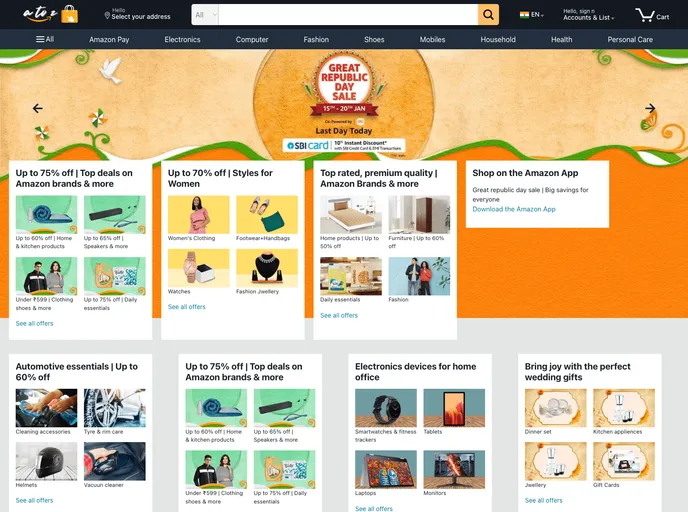
Overview
This product analysis is about a website or application that has several key features, including user account management, authentication, product filtering, cart management, address management, payment/checkout, and an admin dashboard. The product allows users to register and login, browse and filter products, add items to a cart, manage addresses, make payments, and provides an admin dashboard for managing products, users, and orders.
Features
- Login and Signup User Account: Users can create an account and log in to access personalized features.
- JWT Authentication and BcryptJS Password Hashing: Secure user authentication using JSON Web Tokens and encrypted password storage.
- Product Filters Based on Category: Users can filter products by category to find specific types of items.
- Cart Management: Users can add products to a cart, view and manage the items in their cart.
- Address Management: Users can manage their shipping addresses for checkout.
- Payment/Checkout: Users can complete the payment process and place an order.
- Admin Dashboard: An administrative dashboard for managing products, users, and orders.
- Responsive Design: The website or application is designed to be responsive and work well on different devices.
Installation
To install the theme, you can follow these steps:
- Clone the repository to your local machine.
git clone [repository URL]
- Navigate to the project directory.
cd [project directory]
- Install the required dependencies.
npm install
- Start the development server.
npm start
- Open the website or application in your browser.
http://localhost:8080
Summary
This product is a website or application that provides user account management, authentication, product filtering, cart management, address management, payment/checkout features, and an admin dashboard. Users can create an account, log in, browse and filter products, add items to a cart, manage their shipping addresses, complete the payment process, and place orders. The product also includes an admin dashboard for managing products, users, and orders. It offers a responsive design to ensure a good user experience on different devices.


