


 Github Stars:
 Last Commit:
  Created:
Overview:
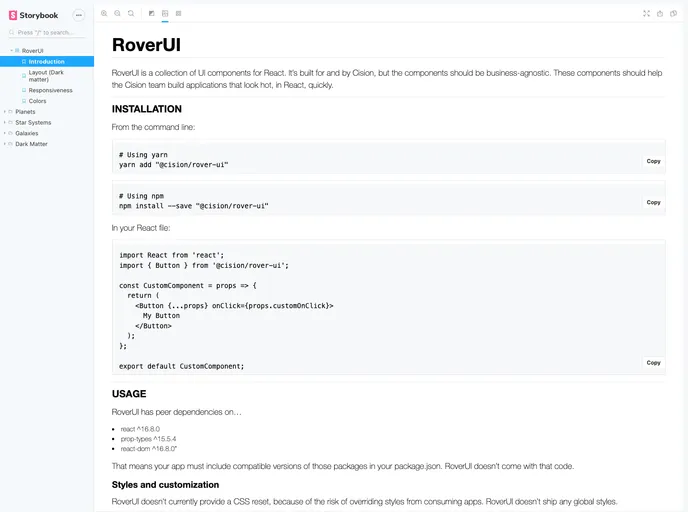
RoverUI is a UI component library originally built for and used by Cision. It is designed to help the Cision team quickly build React applications with visually appealing user interfaces.
Features:
- Collection of UI components
- Designed for use with React
- Helps create applications with visually appealing designs quickly
Installation:
To install and use RoverUI in your application, follow these steps:
- Install the package using npm:
npm install rover-ui
- If your front-end stack supports a CSS loader, you can simply import the styles:
import 'rover-ui/css/rover-ui.css';
- If your front-end stack does not support a CSS loader, you will need to manually include the RoverUI CSS stylesheet in your project’s static resources. Add the following link tag to your HTML file:
<link rel="stylesheet" href="path/to/rover-ui.css">
Summary:
RoverUI is a collection of UI components that is used by Cision to quickly build React applications with visually appealing designs. It provides a convenient way to install and use the component library in your own projects. Whether your front-end stack supports a CSS loader or not, RoverUI can be easily integrated into your application.


