


 Github Stars:
 Last Commit:
  Created:
Overview
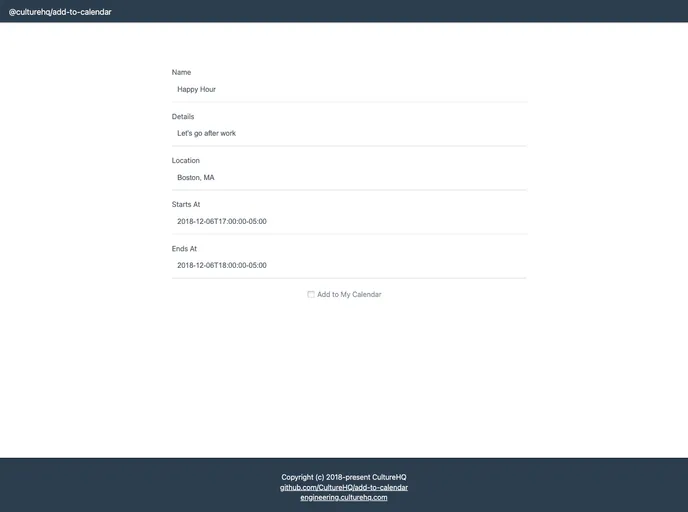
The @culturehq/add-to-calendar package is a small tool designed to easily add an event to a calendar. It provides a button that triggers a dropdown menu, allowing users to select their preferred calendar application to add the event.
Features
- Simple Integration: Easily add the @culturehq/add-to-calendar package to your existing project.
- Customizable Styling: Override the default CSS classes used for styling and customize it to match your application.
- Flexible Event Data: Provide event details such as name, details, location, start time, and end time in a simple object format.
- Customizable Filename: Specify the name of the downloaded iCalendar file for applications like Apple Calendar and Outlook.
Installation
To install the @culturehq/add-to-calendar package, follow these steps:
- Add “@culturehq/add-to-calendar” to your “package.json” dependencies.
- Install the package using either “npm install” or “yarn install”.
- Import the component into your application.
import AddToCalendar from "@culturehq/add-to-calendar"; - Import the CSS styles into your application.
import "@culturehq/add-to-calendar/dist/styles.css"; - Customize the styling of the component by overriding the CSS classes used internally. Refer to the list of classes in “styles.css.children”.
Summary
The @culturehq/add-to-calendar package provides a simple way to add an event to a calendar in a user-friendly manner. With its easy integration and customizable styling, developers can seamlessly incorporate this functionality into their applications. The package offers flexibility in specifying event details and allows for customization of the downloaded iCalendar file’s filename. Overall, @culturehq/add-to-calendar is a useful tool for enhancing the event management experience in web applications.


