


 Github Stars:
 Last Commit:
  Created:
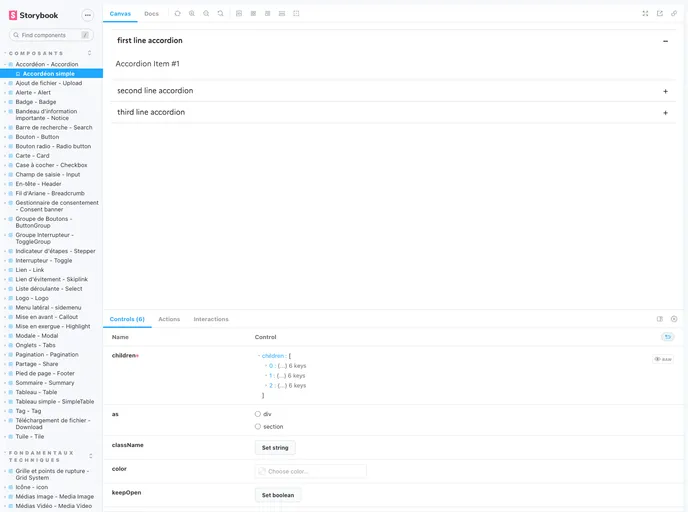
Overview
The @dataesr/react-dsfr package is a non-official set of React components that is based on the official French Système de Design de l’État. It provides a collection of UI components that can be used in React applications. The package is published on NPM and follows a semantic-release policy for versioning and package publishing. It requires Node version 14.18.x or higher, npm version 8.15.x or higher, and React version 18.2.x or higher.
Features
- Non-official React components of the official French Système de Design de l’État
- Compatible with Node.js and npm
- UI components for building React applications
- Uses remixicon for icons
- Color variables available for styling
- Supports accessibility testing with @axe-core/react
Installation
To install the @dataesr/react-dsfr package, follow these steps:
- Make sure you have Node.js installed on your machine with a version of 14.18.x or higher.
- Open your terminal and navigate to your project directory.
- Run the following command to install the package using npm:
npm install @dataesr/react-dsfr
- Once the installation is complete, you can import the components into your React application and start using them.
Summary
The @dataesr/react-dsfr package provides a set of non-official React components based on the official French Système de Design de l’État. It is compatible with Node.js and npm, and offers a collection of UI components that can be used in React applications. The package supports accessibility testing and provides color variables for styling. It follows a semantic-release policy for versioning and package publishing. The installation process is simple and can be done using npm. Overall, the @dataesr/react-dsfr package is a useful resource for developers looking to incorporate the French Système de Design de l’État in their React projects.


