


 Github Stars:
 Last Commit:
  Created:

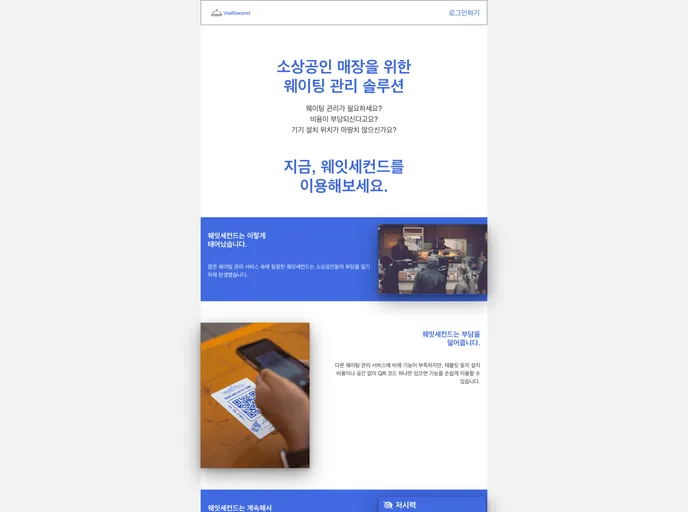
Overview:
WaitSecond is a web-based waiting management system that helps restaurants and cafes manage their waiting customers. Customers can register their waiting time by accessing a web page through a QR code and entering their personal information. Administrators can manage the waiting list through a dedicated page. WaitSecond is a cost-effective solution for environments where installing a waiting management tablet is difficult or where the cost of a waiting system installation is burdensome.
Features:
- Customer Page: Customers can register themselves in the waiting queue by entering essential information. They can also modify their registered information if needed using the modification button.
- My Information Page: Customers can check their waiting information anytime by entering their contact information on the store page, even if they leave the My Information page.
- Admin Page: Administrators can view the current waiting queue, make phone calls to waiting customers, and register, modify, or complete the entrance process for waiting customers. They can also configure store-specific options and manage store-related settings.
Installation:
To install WaitSecond, follow these steps:
- Clone the project repository from GitHub.
- Make sure you have the necessary software and dependencies installed, including BaseHTML5, CSS3, JavaScript, TypeScript, React, Recoil, TanStack-Query (React-Query), Chakra UI, FontAwesome, Firebase Firestore, Firebase Auth, and Vercel.
- Configure the backend and CI/CD using Firebase Firestore, Firebase Auth, and Vercel.
- Start the development server and access WaitSecond through the provided URLs.
Summary:
WaitSecond is a web-based waiting management system designed for restaurants and cafes. It allows customers to register their waiting time and provides administrators with a dedicated page to manage the waiting list. With its cost-effective and flexible features, WaitSecond offers an efficient solution for waiting management in various environments.


