


 Github Stars:
 Last Commit:
  Created:
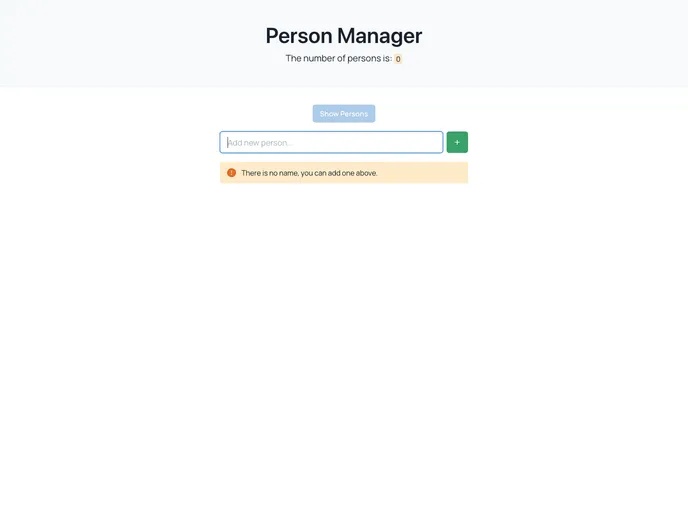
Overview:
The Person Manager is a web application that allows users to easily manage a list of persons. With a clean and user-friendly interface, users can perform various actions such as adding, editing, deleting, and reversing persons on the list. The application also provides additional features such as a custom scrollbar similar to Mac OS, dynamic styling based on the number of people on the list, and a pop-up confirmation when deleting a person.
Features:
- Show persons list: View a list of all persons.
- Add new person: Easily add a new person to the list.
- Delete person: Remove a person from the list.
- Edit person: Modify the details of a person on the list.
- Reverse list: Change the order of persons in the list.
- Show message if not person: Display a message if there are no persons on the list.
- Confirm pop up when delete task: Prompt a confirmation pop-up before deleting a person.
- Custom scrollbar like Mac OS: Use a scrollbar design similar to Mac OS for a visually appealing experience.
- Show and Hide persons: Toggle the visibility of the persons list.
- Handling person name (add, edit): Properly handle the name field when adding or editing a person.
- Disable Show/Hide persons button when empty list: Disable the show/hide button when the list is empty.
- Show the number of people on the list (and dynamic styling): Display the number of people on the list and dynamically style it based on the count.
Installation:
To install the Person Manager theme, follow these steps:
Install the required dependencies:
npm install react chakra-ui sweetalert2 simplebar smooth-scrollbarImport the necessary components and styles:
import React from 'react';
import { Box, Button, Input, Modal } from '@chakra-ui/react';
import Swal from 'sweetalert2';
import SimpleBar from 'simplebar-react';
import 'simplebar/dist/simplebar.min.css';
import SmoothScrollbar from 'smooth-scrollbar';
Set up the Person Manager component:
const PersonManager = () => {
  // Implement the logic for managing persons here
  return (
    <Box>
      {/* Render the persons list here */}
    </Box>
  );
};
Add the necessary functionality and styling to the Person Manager component according to the provided features.
Summary:
The Person Manager is a feature-rich web application that simplifies the management of a list of persons. It offers essential features such as adding, editing, deleting persons, along with additional functionalities like reversing the list, displaying messages, and custom scrollbar design. With easy installation and integration with popular UI frameworks, the Person Manager provides a seamless user experience for efficient person management.


