


 Github Stars:
 Last Commit:
  Created:

Overview
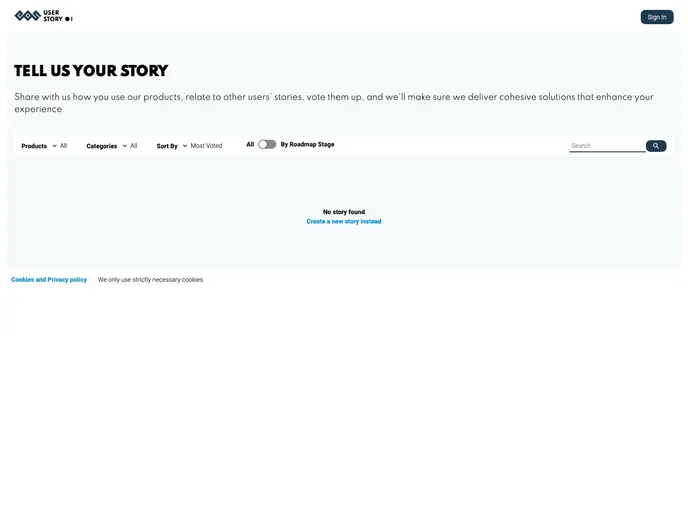
User Story is an open-source product management tool that allows users to request new features, provide feedback, and interact with other stories. It provides a web interface for easy and intuitive usage. The goal of User Story is to provide a scalable backend infrastructure that enables organizations to improve and make progress by efficiently collecting and responding to user feedback.
Features
- Easy feature request and feedback submission
- File attachment functionality for users to provide additional context to their stories
- Admin capabilities to resolve, close, and update the status of stories
- Interaction with other stories through comments and votes
Installation
- Clone the User Story repository.
- Install all the dependencies by running
npm i -f. - Set up the backend:
- If you want to use Docker, follow the provided instructions.
- If you’re only working on the frontend, follow the separate instructions.
- Configure the backend with the necessary permissions and roles for user story management.
- If you’re only working on the frontend, copy the
src/config.temp.jsonfile and remove the.temppart from the file name. Adjust theapiURLvalue to match your own Strapi endpoint if necessary. TheAPP_ENVkey can be set to any string value, with “prod” being recommended for production environments. - Run
npm startto start the app in development mode. - Open http://localhost:3000 to view the app in the browser.
- Make any necessary edits, with automatic reload and lint error display in the console.
- Before submitting a PR/MR, ensure your code is compliant with the provided JS and SCSS quality rules by running the respective commands:
npm run test:jsandnpm run test:scss. - Build the app for production using
npm run build. The optimized and minified build files will be generated in the build folder.
Summary
User Story is an open-source product management tool that provides a scalable backend infrastructure and a user-friendly web interface for users to request features, provide feedback, and interact with other stories. The installation guide ensures a smooth setup process for both frontend and backend, allowing for efficient feedback collection and response mechanisms, critical for organizational improvement and progress.


