


 Github Stars:
 Last Commit:
  Created:

Overview
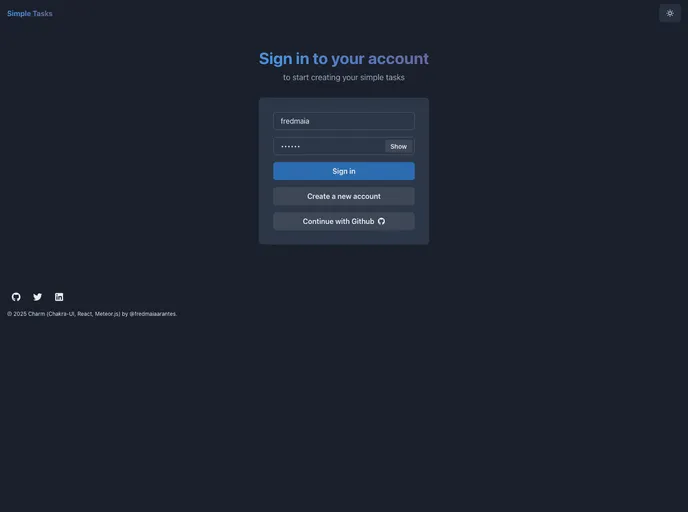
Charm is a simple task management application built with the CHARM (Chakra-UI, React, Meteor) stack. It is designed to make development quick and efficient, utilizing technologies such as Meteor, React, Chakra UI, React Hook Form, and MongoDB. The application allows users to sign in/sign up, list tasks, add/remove tasks, mark tasks as done, and filter tasks by status.
Features
- Sign In / Sign Up: Users can create an account or sign in to an existing account.
- List Tasks by logged-in user: Tasks are displayed in a list format for the logged-in user.
- Add Tasks: Users can add new tasks to their task list.
- Remove Tasks: Users can easily remove tasks from their task list.
- Mark a Task as Done: Tasks can be marked as done to track progress.
- Filter Tasks by Status: Users can filter tasks by status, such as completed or pending.
Installation
To run the Charm application, follow these steps:
- Install dependencies:
npm install
- Run the application:
npm start
- Run tests:
npm test
- Clean up your local database:
npm run clean-db
- Deploy the application to Galaxy with free MongoDB:
npm run deploy
- Integrate Chakra-UI:
npm install @chakra-ui/react
- Use ESLint, Prettier, and Husky for code formatting and linting:
npm install eslint prettier husky --save-dev
- Host the application in Galaxy for monitoring:
npm install meteor-apm-agent-galaxy --save
- Use React Router 6 and Lazy Loading:
npm install react-router-dom@next --save
- Use React Hook Form and Zod for form validation:
npm install react-hook-form zod --save
- Enable Galaxy SEO support:
npm install react-helmet react-router react-router-galaxy-seo --save
- Define the directory structure and organize code by feature:
mkdir ui api common
- Add database migrations using percolate:migrations package:
npm install percolate:migrations --save
- Implement integration tests for methods and publications:
npm install meteortesting:mocha --save-dev
Summary
Charm is a task management application built with the CHARM stack, which includes technologies such as Meteor, React, Chakra UI, and MongoDB. It offers features like user authentication, task listing, task addition/removal, task completion tracking, and task filtering. The application can be installed and set up by following the provided installation instructions. Overall, Charm aims to provide a quick and efficient development experience for task management applications.


