


 Github Stars:
 Last Commit:
  Created:

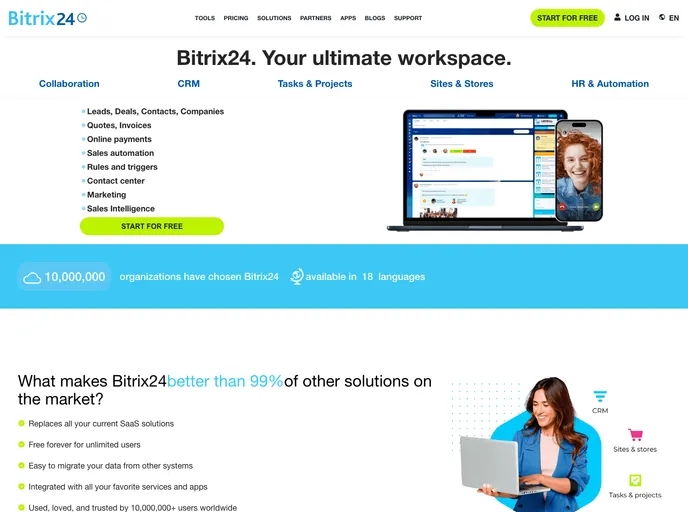
Product Analysis: Bitrix24 Clone
Overview
The Bitrix24 Clone is a project developed by a group of 5 members during their construct week at Masai School. It is a clone of Bitrix24, a unified workspace that manages various aspects of daily operations and tasks, including customer relationship management, project management, and collaboration. The clone aims to provide a similar set of features and functionalities as the original Bitrix24.
Features
- Smooth experience on the login page: The clone offers a seamless user experience on the login page, ensuring easy access for users.
- Well-designed home page: The home page of the clone is visually appealing and well-designed, providing an intuitive interface for users.
- Dashboard with good-looking UI: The clone includes a dashboard with an attractive user interface, allowing users to manage and track their tasks efficiently.
- Pagination: The clone incorporates pagination functionality, enabling users to navigate through a large number of tasks or projects easily.
- Add and remove tasks: Users can add and remove tasks within the clone, providing a comprehensive task management system.
- Toggle the status of the task: The clone allows users to change the status of tasks, providing flexibility in managing task progress.
- Know about company structure: Users can access information about the company structure, facilitating better understanding and collaboration within the organization.
Installation
To install the Bitrix24 Clone, you can follow the below steps:
- Clone the repository from the provided link of the frontend and backend deployment.
- Set up the necessary dependencies for the frontend and backend using the package managers.
- Connect the frontend with the backend by configuring the API endpoints.
- Set up the database (MongoDB) and import the necessary data if required.
- Build and run the application locally or deploy it on a hosting platform of your choice.
Please note that the detailed installation steps and code snippets are not provided in the document.
Summary
The Bitrix24 Clone developed by a group of 5 members during their construct week at Masai School aims to replicate the features and functionalities of Bitrix24. It offers a smooth login experience, well-designed home page, and a dashboard with an appealing user interface. The clone includes features such as pagination, task management, and the ability to toggle task status. By providing insights into the company structure, the clone promotes better collaboration within the organization.


