


 Github Stars:
 Last Commit:
  Created:
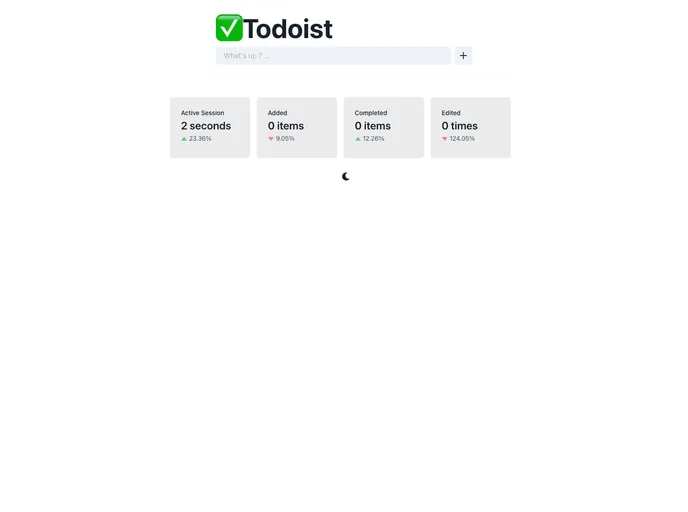
Overview
Todoist is a productivity tool that helps users stay organized and manage their tasks efficiently. It integrates with popular libraries like ReactJS, Chakra UI, and Framer Motion to provide a seamless user experience. With its minimalist UI and a focus on simplicity, Todoist allows users to track session stats, create an editable to-do list, and automatically save their tasks in real-time.
Features
- Track your session stats: Get insights into your productivity levels with the help of StatCard components.
- Create an editable to-do list: Add, remove, edit, or mark tasks as done in the minimalist UI of Todoist.
- Save your to-do list automatically: Your tasks are automatically saved in the browser’s cookies as you update them in real-time.
- Light and dark theme: Customize the color theme of the Todoist website based on your preference.
Installation
To install Todoist, follow these steps:
- Make sure you have ReactJS, Chakra UI, and Framer Motion libraries installed in your project.
- Download the Todoist package from the official website or use a package manager like npm or yarn to install it.
npm install todoist
- Import the necessary components from Todoist into your project:
import { StatCard, EditableTodoList, ThemeToggle } from 'todoist';
- Start using the features of Todoist in your application. For example, to add a StatCard component:
<StatCard />
Summary
Todoist is a productivity tool with a focus on simplicity and usability. It allows users to track session stats, create an editable to-do list, and automatically save tasks in real-time. With its integration with ReactJS, Chakra UI, and Framer Motion, Todoist offers a seamless user experience. Whether you prefer a light or dark theme, Todoist has got you covered.


