


 Github Stars:
 Last Commit:
  Created: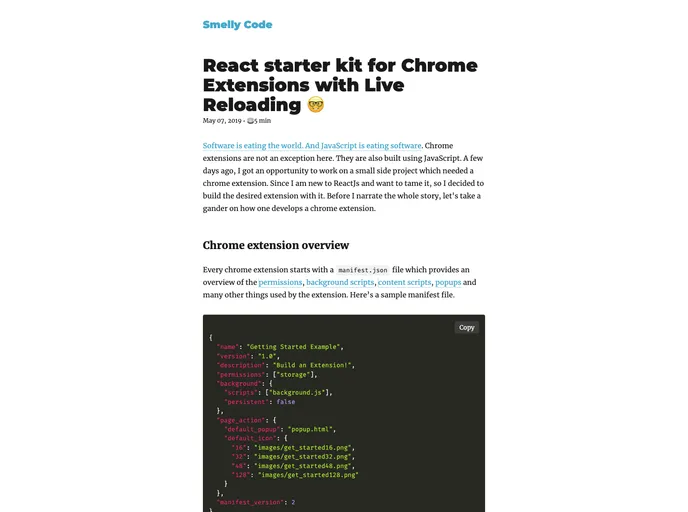
Overview:
The React Start Kit for Chrome extension with Live Reloading is a project that was created using the Create React App. It provides a convenient starting point for developing Chrome extensions with React, offering live reloading for an efficient development workflow.
Features:
- Create React App: The project is bootstrapped with Create React App, allowing for a quick and easy setup for building Chrome extensions with React.
- Live Reloading: The kit includes functionality for live reloading, which means that any changes made to the code will automatically be reflected in the Chrome extension without needing to manually reload.
- Production Build: The project provides a script for building the app for production. This includes bundling React in production mode, optimizing the build for performance, and minifying the build files.
Installation:
To install the React Start Kit for Chrome extension with Live Reloading, follow these steps:
- Clone the repository.
- Navigate to the root directory of the project.
- Run
npm installto install the dependencies. - Run
npm run watchto start the development server with live reloading. - Make changes to the code as needed and see the changes reflected in the Chrome extension without needing to manually reload.
- Run
npm run buildto build the app for production. The build files will be located in the “build” folder. - Deploy the built files to the Chrome Web Store or any other hosting platform for your Chrome extension.
Summary:
The React Start Kit for Chrome extension with Live Reloading is a useful tool for developers who want to build Chrome extensions with React. It provides a convenient starting point with features like live reloading and a production build script. With this kit, developers can streamline their development workflow and easily deploy their Chrome extensions.


