


 Github Stars:
 Last Commit:
  Created:


Overview
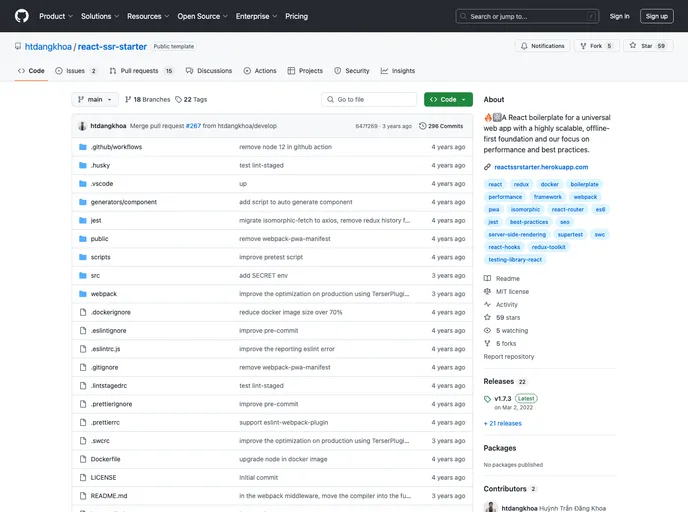
This product analysis is about a web development framework that utilizes server-side rendering with Express, a NoSQL database with MongoDB, client-side rendering with React, and various other tools and libraries for state management, routing, debugging, and more.
Features
- Server side (Express): Utilizes Express as the server-side framework for handling HTTP requests and responses.
- NoSQL database (MongoDB): Uses MongoDB as the database for storing and retrieving data.
- Client side (React): Implements client-side rendering using React, a popular JavaScript library for building user interfaces.
- Universal routing (react-router): Allows for declarative routing on both the server and client side.
- State management (Redux): Implements Redux, a predictable state container for JavaScript applications, for managing the global state of the application.
- Redux debugging tools (redux-devtools): Provides debugging tools for Redux, allowing for easy inspection and manipulation of the state.
- Tweak React components in real time (react-hot-loader): Enables hot reloading of React components during development, allowing for real-time changes without having to refresh the page.
- SEO (react-helmet): Helps to manage document head tags for SEO purposes, allowing for dynamic changes to meta tags.
- Code Splitting library for React (loadable-components): Provides code splitting capabilities for React applications, allowing for better performance and faster load times.
- Progressive web app (offline-plugin): Enables the creation of progressive web apps that can work offline and provide a native app-like experience.
- Promise based HTTP client for the browser and NodeJS (axios): Offers a promise-based HTTP client for making requests to the server and handling responses.
- Internationalization (i18next) & (react-i18next): Provides internationalization support for multi-language applications.
- CSS transformation tool (PostCSS): Utilizes PostCSS, a CSS transformation tool, to enable additional functionality such as adding vendor prefixes to CSS rules.
- PostCSS plugin for adding vendor prefixes (autoprefixer): Adds vendor prefixes to CSS rules, based on Can I Use data, to improve cross-browser compatibility.
- Compiles CSS Modules in runtime (css-modules-require-hook): Supports the compilation of CSS Modules during runtime, allowing for the use of CSS Modules with React components.
- Customizes how files required by Node are returned (asset-require-hook): Allows for customization of how files required by Node, with specified extensions, are returned, such as converting them to data URIs or providing custom filenames.
- Developing UI components (Storybook): Provides a development environment for building and testing UI components in isolation.
- Light & Dark theme: Supports light and dark themes for the application.
- Data fetching from server-side: Enables data fetching from the server side to populate the initial state of the application.
- Compressing images with imagemin (imagemin-webpack-plugin): Utilizes imagemin-webpack-plugin to compress images, reducing file sizes and improving performance.
- Unit testing (Jest): Uses Jest as the testing framework for writing and running unit tests.
- ES6: Supports ECMAScript 6, the latest version of JavaScript.
- Optional chaining operator (@babel/plugin-proposal-optional-chaining): Provides support for the optional chaining operator, simplifying access to nested properties and avoiding “undefined” or “null” errors.
- Type checker for JavaScript (Flow): Enables static type checking for JavaScript code, helping to catch potential errors and improving code quality.
- Code linting (ESlint): Helps to find and fix problems in JavaScript code by enforcing coding standards and best practices.
- Code formatting (Prettier): Automates code formatting for consistent and readable code.
- Workflow automation with Github Actions: Automates the workflow from idea to production using Github Actions.
- VSCode debugging: Supports debugging within the VSCode editor.
Installation
To install the framework, follow these steps:
Usage:
- Install dependencies:
npm installInstall dependencies:
npm installRun it:
npm run dev
Summary
This product provides a web development framework that combines server-side rendering with Express, a NoSQL database with MongoDB, client-side rendering with React, and a wide range of tools and libraries for state management, routing, debugging, internationalization, and more. It offers a comprehensive set of features and is supported by a vibrant community. The installation process is straightforward, requiring the installation of dependencies and running a single command to start the development server. Overall, this product provides a robust solution for building modern web applications.


