


 Github Stars:
 Last Commit:
  Created:
Overview:
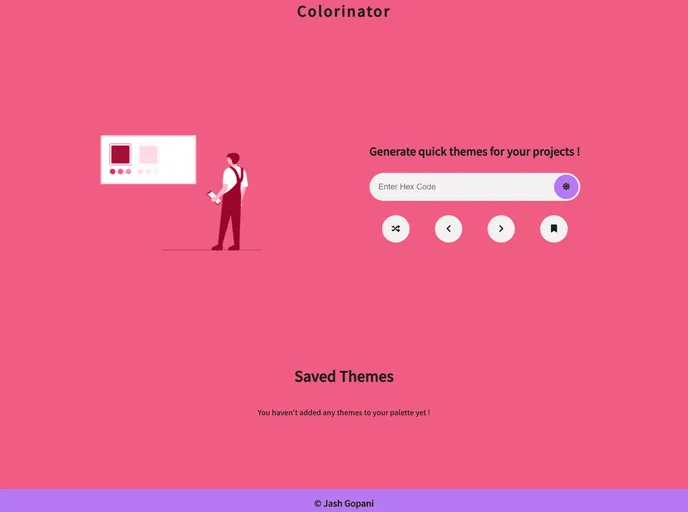
Colorinator is a quick color palette generator that follows the 60-30-10 rule of UI design. It allows users to easily generate primary, secondary, and accent colors for their designs. The colors are derived using a contrast ratio and font colors are calculated based on this ratio as well. The website provides a live preview of an inverted theme, where the primary and secondary colors are swapped. Users can save their themes locally and easily navigate through their color palette history.
Features:
- Generated Colors: Primary, secondary, and accent colors are generated based on the 60-30-10 rule of UI design.
- Non-Random Generation: The colors generated are not random; they are derived using a difference of contrast ratio.
- Font Color Calculation: Font colors used are calculated based on the contrast ratio with the background color.
- Live Preview: The website provides a live preview of the inverted theme, swapping the primary and secondary colors.
- Save Themes: Users can save their themes to local storage for future use.
- Dynamic Look: The dynamic look of the website makes it easy to visualize the look and feel of the color palette.
- Color Palette History: Users can navigate through the history of their generated color palettes.
- User-Friendly Interface: The website provides buttons to easily input a primary color, shuffle for a random color, and navigate through the history of generated colors.
Installation:
To use Colorinator, simply visit the website and follow the instructions provided. There is no installation required as it is a web-based tool. Visit the colorinator website and follow the steps below:
- Paste the hex code of the primary color you want to use, or click on the “SHUFFLE” button to fetch a random primary color.
- The website will then generate complementary secondary and accent colors and apply them to the whole website.
- Use the “<” and “>” buttons to traverse through the history of colors generated.
- Use the “SAVE” button to save the theme locally.
- Click the “INVERT THEME” button to swap the primary and secondary colors for a 30-60-10 effect.
Summary:
Colorinator is a useful tool for UI designers to quickly and easily generate a color palette based on the 60-30-10 rule. It provides non-random color generation using contrast ratio and calculates font colors accordingly. The live preview and dynamic look of the website make it easy to visualize the color palette. Users can save themes, navigate through color palette history, and even preview an inverted theme. The tool is user-friendly and provides a simple interface for generating and managing color palettes.


