


 Github Stars:
 Last Commit:
  Created:

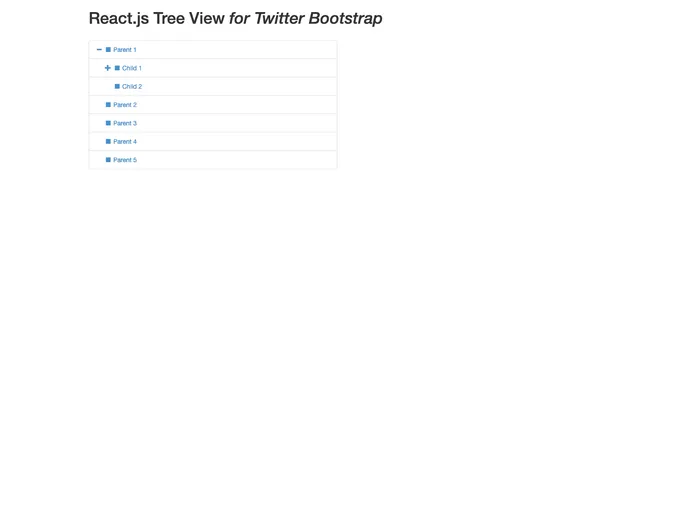
Overview
The React.js Bootstrap Tree View is a powerful and flexible tool that brings the functionality of tree structures to web applications using React and Bootstrap. Designed as a prototype version of a jQuery-based tree view for Twitter Bootstrap, it simplifies the process of displaying hierarchical data in an attractive and user-friendly manner. With its minimal dependencies, this tree view can be easily integrated into existing projects, making it an appealing choice for developers looking to enhance their applications.
The versatility and customizability of the Bootstrap Tree View make it a valuable addition to any developer’s toolkit. Whether you’re building a complex data management system or creating a simpler navigation menu, this component caters to various needs while ensuring a sleek, responsive design.
Features
Minimal Dependencies: Requires only React v0.13.1 and Bootstrap v3.3.4, ensuring an easy setup process without unnecessary complexities.
Customizable Node Properties: Allows for detailed setups with properties for icons, colors, and state management, enabling full control over the visual representation of each node.
Nested Data Structure: Supports hierarchical data via a nested array of JavaScript objects, making it straightforward to define the relationships between nodes.
Dynamic Appearance: Options for setting default background and border colors, with the ability to override settings on a per-node basis, allowing for a tailored look.
Bootstrap Glyphicons Integration: Utilizes Bootstrap’s icon framework, making it simple to incorporate visually appealing icons beside each tree node.
Expandable and Selectable Nodes: Comes with built-in functionality to expand/collapse nodes and select specific nodes, enhancing user interaction and experience.
Optional Links: Features the ability to specify anchor tag URLs for nodes, creating an interactive user interface that can direct users to related content.
Custom Tags: Option to display additional information next to nodes using Bootstrap Badges, providing further context to the user.


