


 Github Stars:
 Last Commit:
  Created:


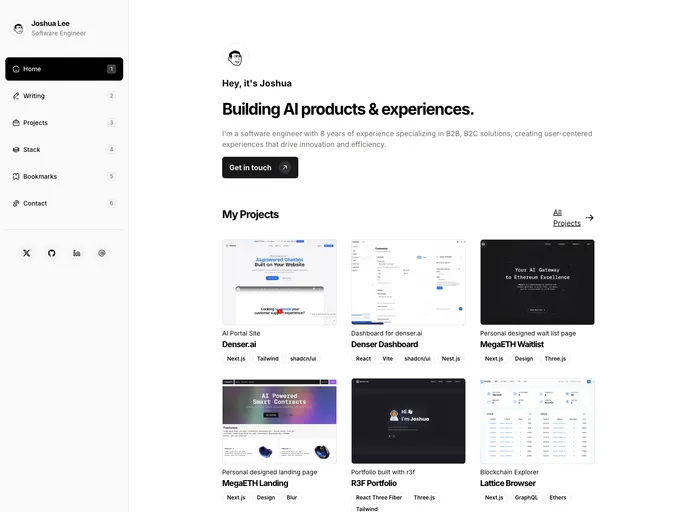
Overview:
Remix Portfolio is a personal portfolio built with remix and chakra-ui. It offers an easy and efficient way to showcase your work and skills. With its integration with Vercel, deployment is simple and hassle-free. Whether you prefer using a Git repository or deploying the directory directly, Remix Portfolio provides you with flexibility and convenience.
Features:
- Customizable portfolio layout.
- Integration with remix and chakra-ui for enhanced design and functionality.
- Seamless deployment using Vercel with Git integration.
- Easy local setup for development and testing.
Installation:
To install Remix Portfolio, follow these steps:
- Run the create-remix command to initialize the project.
create-remix
Select “Vercel” as the deployment target when prompted.
Import your Git repository into Vercel for automatic deployment. Alternatively, if you want to deploy the directory directly, use the Vercel CLI:
vercel deploy
It is recommended to use a Git repository for automatic deployment with Vercel’s Git Integration.
Make sure all local dependencies are installed for your project:
npm install
- Start the Remix development server:
remix start
- Open your browser and go to http://localhost:3000 to access your Remix Portfolio locally.
Note: If you are familiar with using the vercel dev command provided by Vercel CLI, you can use that instead.
Summary:
Remix Portfolio is a user-friendly personal portfolio built with remix and chakra-ui. It offers customization options, seamless deployment with Vercel, and easy local setup for development. With its intuitive design, Remix Portfolio simplifies the process of showcasing your work and skills.


