


 Github Stars:
 Last Commit:
  Created:


Overview:
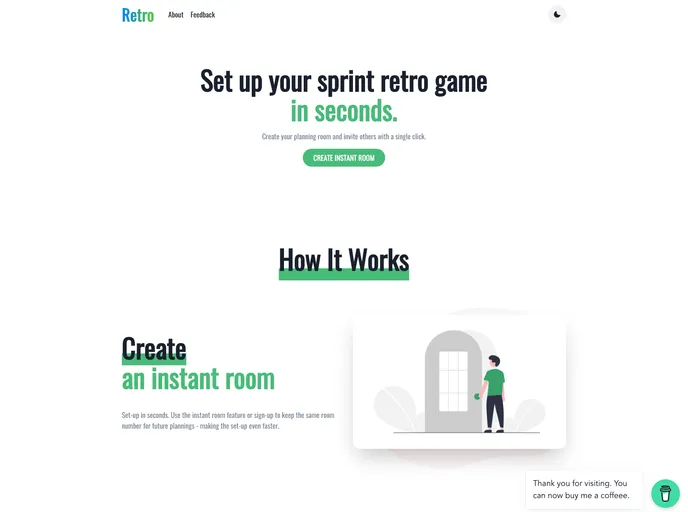
The Sprint Retrospective Game is a tool designed to make sprint retrospective meetings more productive and enjoyable. It aims to enhance the effectiveness of these meetings by providing a colorful and interactive experience.
Features:
- Chakra-ui: Styling library for creating a visually appealing interface.
- ESLint: A linter tool for ensuring code quality and consistency.
- Firebase: Backend-as-a-Service platform for data storage and authentication.
- Framer Motion: Animation library for creating smooth and interactive transitions.
- React: A JavaScript library for building user interfaces.
- React Hook Form: A library for managing form state and validation in React.
- Redux Toolkit: A set of tools for simplifying Redux state management.
- Typescript: A typed superset of JavaScript for improved code quality and error checking.
- Vite: A fast and lightweight build tool for modern web applications.
- DB Models: Documentation for database models.
Installation:
To install the Sprint Retrospective Game, follow these steps:
- Clone the project repository by running the following command:
git clone https://github.com/kasim444/sprint-retrospective-game.git
- Install the required dependencies by running either of the following commands:
yarn install
or
npm install
If you’re using NPM, you should delete the yarn.lock file before running npm install.
- Start the development server by running either of the following commands:
yarn dev
or
npm run dev
- Visit
localhost:3000in your browser to access the Sprint Retrospective Game.
Summary:
The Sprint Retrospective Game is a tool that aims to improve the effectiveness and enjoyment of sprint retrospective meetings. By providing a colorful interface and interactive features, it enhances team collaboration and communication. With its diverse range of features and easy installation process, it offers a convenient solution for teams looking to optimize their retrospective meetings.


