


 Github Stars:
 Last Commit:
  Created:


Overview:
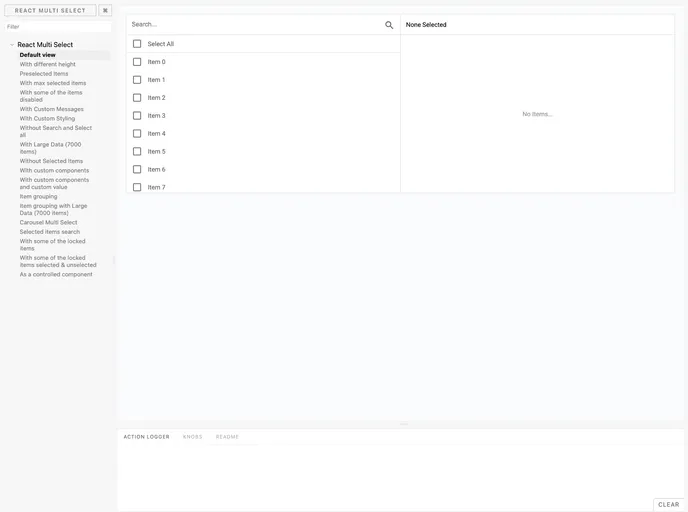
The Multi select component is a user interface element that allows users to select multiple items in a clear and filterable way. It provides a straightforward experience for selecting multiple items and includes features such as search, select all, and a right pane for displaying selected items.
Features:
- Clear and filterable selection of multiple items
- Search option to easily find items
- Select all option to quickly choose all items
- Right pane for displaying selected items
Installation:
To install the Multi select component, follow these steps:
Installation using npm:
npm install multi-select
Installation using Yarn:
yarn add multi-select
Import styles:
import 'multi-select/dist/style.css';
Include the component’s CSS on your app:
<link rel="stylesheet" type="text/css" href="path/to/multi-select.css">
Summary:
The Multi select component is a useful tool for allowing users to select multiple items in a clear and filterable way. It provides a range of features such as search, select all, and a right pane for displaying selected items. The installation process is straightforward, with options for installation using npm or Yarn. Overall, the Multi select component enhances the user experience by providing an intuitive and efficient selection process.


