


 Github Stars:
 Last Commit:
  Created:

Overview:
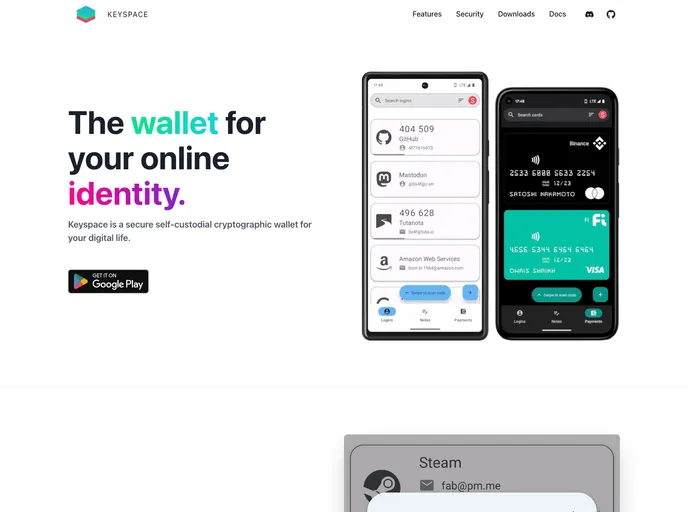
Keyspace Web is a browser plugin that works in conjunction with Keyspace, a secure self-custodial cryptographic wallet. With Keyspace Web, users can seamlessly access their digital assets and manage their digital life securely. This plugin offers a range of features and supports various platforms, including logins, notes, cards, and cryptography.
Features:
- Logins: Access and manage your login information securely through the Keyspace Web plugin.
- Notes: Safely store and organize your private notes using the Keyspace Web plugin.
- Cards: Manage and protect your card information within the Keyspace Web plugin.
- Cryptography: Utilize the powerful cryptographic capabilities of Keyspace Web for secure data transmission and storage.
- XChaCha20-Poly1305: Enhance data security with the XChaCha20-Poly1305 encryption algorithm supported by Keyspace Web.
- Ed25519 & X25519: Take advantage of the Ed25519 and X25519 cryptographic algorithms for secure key generation and signing.
- PBKDF2: Benefit from the PBKDF2 key derivation function, ensuring the strong protection of your data.
- BLAKE2B: Use the BLAKE2B hash function for efficient and secure data hashing.
Installation:
To install the Keyspace Web plugin, follow these steps:
For developers:
- Install dependencies using the yarn package manager.
yarn
- Build the web app with yarn.
yarn build
- (Optional) If using manifest version 2, build for manifest version 2.
yarn build:mv2
- (Optional) If using manifest version 3, build for manifest version 3.
yarn build:mv3
- If you have added a new icon SVG, rebuild the icon manifest with yarn.
yarn build-icons
Plugin setup for Chrome and Chromium browsers:
- Create a build folder with yarn.
yarn build
Open “chrome://extensions” in the browser and enable “Developer mode”.
Select “Load unpacked” and choose the build folder.
Plugin setup for Firefox:
- Create a build folder with yarn.
yarn build
Open “about:debugging” in Firefox.
Select “This Firefox” and click on “Load temporary addon”.
Import the manifest.json file from the build folder.
Summary:
Keyspace Web is a browser plugin that complements the Keyspace cryptographic wallet, allowing users to securely manage their digital life. With features like logins, notes, cards, and advanced cryptography algorithms, Keyspace Web provides a comprehensive solution for protecting and accessing digital assets and personal information. Developers can easily set up the plugin in Chrome, Chromium, and Firefox browsers by following the provided installation instructions. The project is licensed under the GNU GPLv3 License.


