


 Github Stars:
 Last Commit:
  Created:

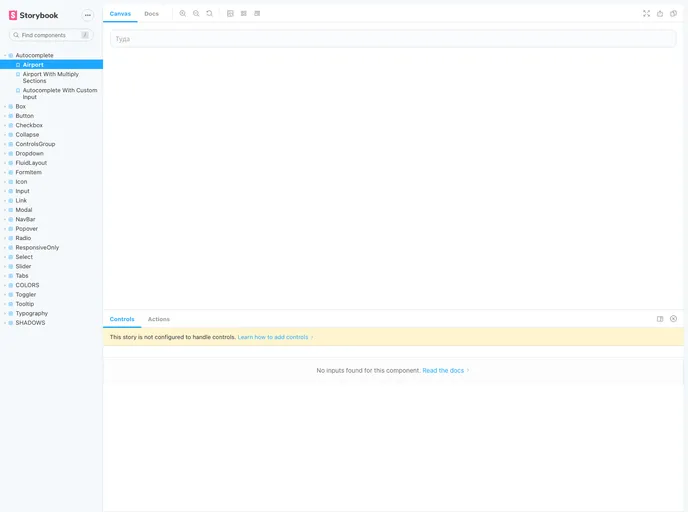
Overview
This product analysis is based on the UI kit for Kupibilet.ru. The UI kit provides components and styles for developers to use in building user interfaces for the Kupibilet.ru website. This analysis will cover key features, installation instructions, and a summary of the product.
Features
- NPM version: The UI kit can be installed and managed using NPM, allowing for easy version control and updates.
- Build Status: The current build status of the UI kit indicates whether it is stable and ready for use.
- Greenkeeper Status: The Greenkeeper status ensures that the UI kit’s dependencies are up-to-date and security vulnerabilities are minimized.
- Known Vulnerabilities: Any known vulnerabilities in the UI kit are listed, ensuring that developers are aware of potential security risks.
Installation
To start using the UI kit locally, follow these steps:
- Install the UI kit using NPM by running the following command in your terminal:
npm install ui-kit-kupibilet
- Once the installation is complete, navigate to the project directory and run the following command to start the local development server:
npm start
- Open your preferred browser and enter the following URL to access the UI kit:
http://localhost:9001
Summary
The UI kit for Kupibilet.ru is a comprehensive collection of components and styles designed to facilitate the development of user interfaces for the Kupibilet.ru website. It offers features such as NPM integration for easy installation and version control, build status and Greenkeeper status to ensure stability and security, and visibility of any known vulnerabilities. By following the provided installation instructions, developers can quickly get started with using the UI kit locally.


