


 Github Stars:
 Last Commit:
  Created:

Overview
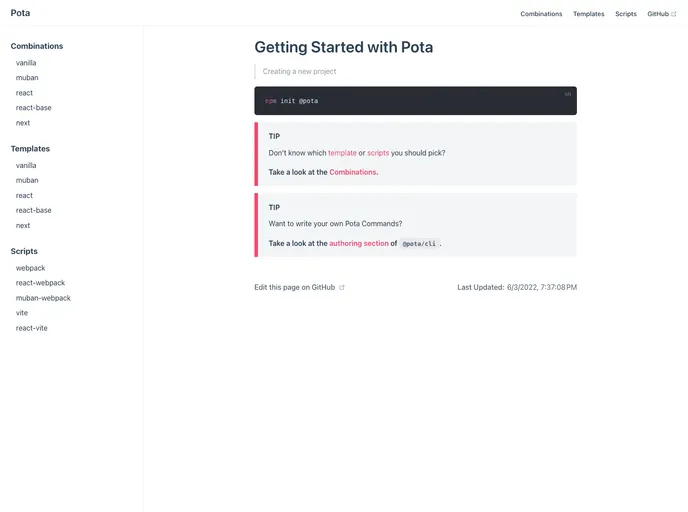
PotaPota is a collection of tools designed to support the creation and management of Node.js projects. It provides a set of officially supported and managed templates and scripts that can be easily composed together into a project using the “@pota/create” command. It also allows users to bring their own templates or scripts if they prefer, while still benefiting from the functionality of create-pota. The package offers possibilities for customization and easy addition of new commands through the “@pota/cli” package and accompanying scripts.
Features
- Create: Pota offers officially supported templates and scripts for creating projects using the “@pota/create” command.
- Manage: Users can customize build tools, make changes, and easily add new commands using the “@pota/cli” package and associated scripts.
- Package Variety: PotaPota comes with a variety of packages, including core packages like “@pota/create” and “@pota/cli,” as well as scripts for different frameworks like webpack, React, Muban, Vite, Plop, and various templates for vanilla, React, React Base, Muban, and Next.
Installation
To get started with PotaPota, follow these steps:
- Install the “@pota/create” package globally by running the following command in your terminal:
npm install -g @pota/create
- Create a new project using “@pota/create” by running the following command in your desired project directory:
pota create my-project
Replace “my-project” with the desired name of your project.
- Once the project is created, navigate to the project directory:
cd my-project
- Install the required dependencies by running the following command:
npm install
- You can now start utilizing PotaPota’s features and customizations within your Node.js project.
Summary
PotaPota is a powerful toolset for creating and managing Node.js projects. It allows users to easily create projects using different templates and scripts, while also providing options for customization and easy management of build tools. With a wide variety of packages and templates, PotaPota offers flexibility and convenience for developers working on Node.js projects. The toolset is MIT licensed, ensuring its accessibility and usability for developers.


