


 Github Stars:
 Last Commit:
  Created:

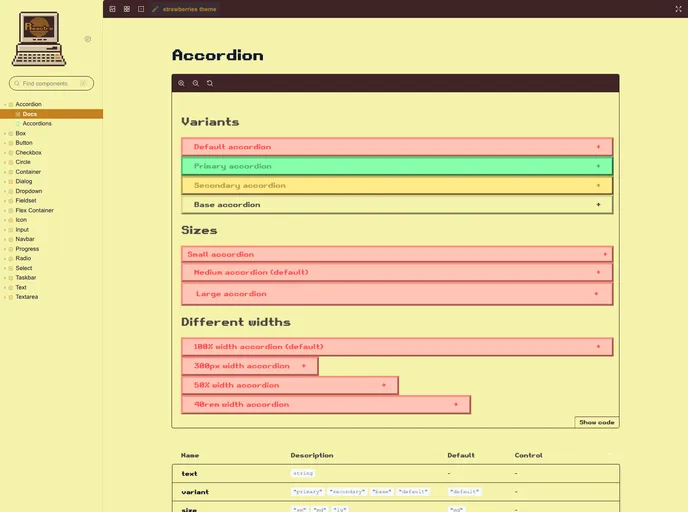
Overview
Reactro UI is a retro-inspired React component library with Typescript support. It provides a collection of components that can be easily integrated into any React project.
Features
- Retro-Inspired Design: Reactro UI offers a unique retro-inspired design that adds a nostalgic touch to your React applications.
- Typescript Support: The library is built with Typescript, allowing for better type safety and code predictability.
- Storybook Integration: Reactro UI provides a Storybook integration, giving you a comprehensive overview of all the available components in the library.
Installation
To install Reactro UI, follow these steps:
- Open your terminal and navigate to the directory of your React project.
- Run the following command to install Reactro UI:
npm install reactro-ui
- Reactro UI uses styled-components, so if you haven’t already installed it, run the following command as well:
npm install styled-components
Usage
Once Reactro UI is installed, you can start importing and using its components in your React project. Follow these steps to get started:
- Import the desired Reactro UI component into your project.
- Wrap your entire application with the
ThemeProvidercomponent provided by Reactro UI. This ensures that the correct theming and styling are applied. ThemeProvideraccepts two props,themeandfont, where you can choose from the available themes and fonts provided by Reactro UI.
Summary
Reactro UI is a retro-inspired React component library that offers Typescript support and a variety of pre-built components. With easy installation and integration, it allows developers to quickly add a nostalgic flair to their React applications.


