


 Github Stars:
 Last Commit:
  Created:

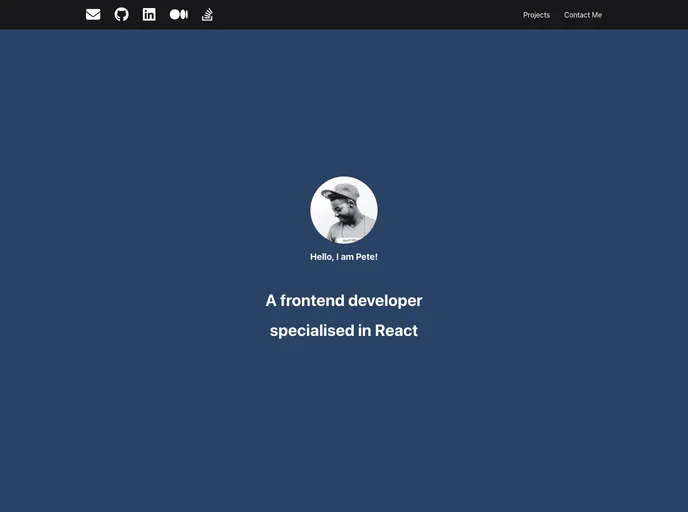
Overview
Creating a personal portfolio page is an essential step in showcasing your work and establishing your online presence. This lab offers a hands-on approach to building a sleek, responsive portfolio using popular libraries like Chakra UI and Formik. The result is not just a website, but a polished reflection of your skills and creativity that can impress potential employers or clients.
Throughout the process, you’ll utilize pre-configured components and intuitive design methods to create a user-friendly experience. With sections dedicated to social media links, project displays, and a contact form, this portfolio page will not only highlight your achievements but also make it easy for visitors to connect with you.
Features
- Chakra UI Integration: Pre-configured for convenience, this library provides a range of components that are ready to use, ensuring a professional look without any setup hassle.
- Responsive Design: The layout is designed to adapt seamlessly to different screen sizes, making sure your portfolio looks great on both mobile and desktop devices.
- Featured Projects Section: Showcase your best work in a visually appealing grid layout, allowing visitors to easily browse through your projects.
- Contact Form Functionality: Using Formik and Yup, the portfolio includes a fully functional contact form, complete with validation to ensure that you receive messages from visitors in a structured manner.
- Social Media Links: Easily connect with site visitors by adding external social media icons, making it simple for them to follow you elsewhere.
- User-Friendly Navigation: The inclusion of internal links within the header allows for smooth navigation throughout different sections of the portfolio page.
- Modern Aesthetic: Utilizing Chakra UI components ensures that your portfolio maintains a contemporary look, enhancing overall user experience.


