


 Github Stars:
 Last Commit:
  Created:


Overview
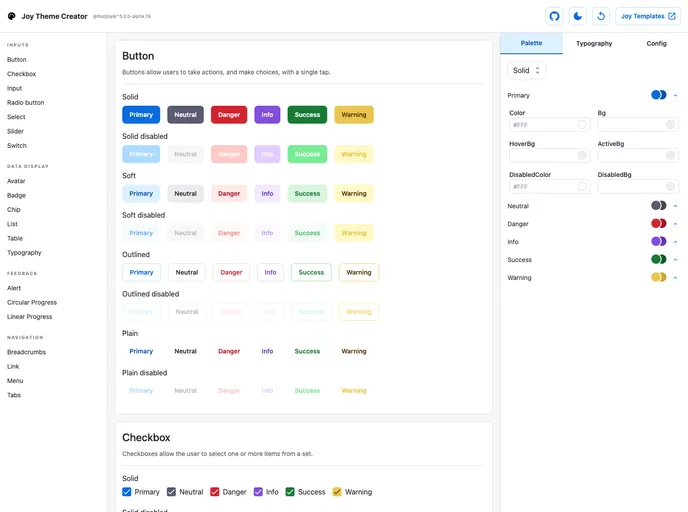
The Joy Theme Creator is a project that allows users to customize and create themes for Joy UI. While it is still in alpha, it provides access to color palette and typography controls. It also enables users to easily copy the theme configuration object into their own Joy UI project’s source code.
Features
- Theming Options: The Joy Theme Creator exposes the theming options available in Joy UI, including color palette and typography controls.
- Customization: Users can tinker with the controls provided by the project to create their desired theme.
- Easy Integration: The theme configuration object can be easily copied into a user’s Joy UI project after customization.
Installation
To install and use the Joy Theme Creator, follow these steps:
- Clone the project repository to your local machine.
- Navigate to the project directory in your terminal.
- Run
npm installto install the required dependencies. - Run
npm startto start the app in development mode. - Access the Joy Theme Creator in your web browser at
localhost:3000. - Tinker with the color palette and typography controls to customize your theme.
- Once satisfied with your theme, copy the generated theme configuration object.
- Paste the theme configuration object into your own Joy UI project’s source code.
Summary
The Joy Theme Creator is a helpful tool for developers using Joy UI who want to create custom themes. It provides theming options such as color palette and typography controls, and allows users to easily integrate the customized theme into their own Joy UI projects. Although it is still in alpha, it offers a quick and efficient way to create and apply themes in Joy UI.


