


 Github Stars:
 Last Commit:
  Created:


Overview
The Create React App TypeScript Firebase Starter Template is a project template that helps developers quickly set up a React app with TypeScript, Firebase, and other useful features. It provides a convenient starting point for building web applications with authentication, routing, and deployment capabilities.
Features
- Routing: The template includes a setup for routing using
react-router-dom. It also includes easily implementable private routes, which only allow authenticated users to access certain pages. - Authentication: Authentication is implemented using Firebase and
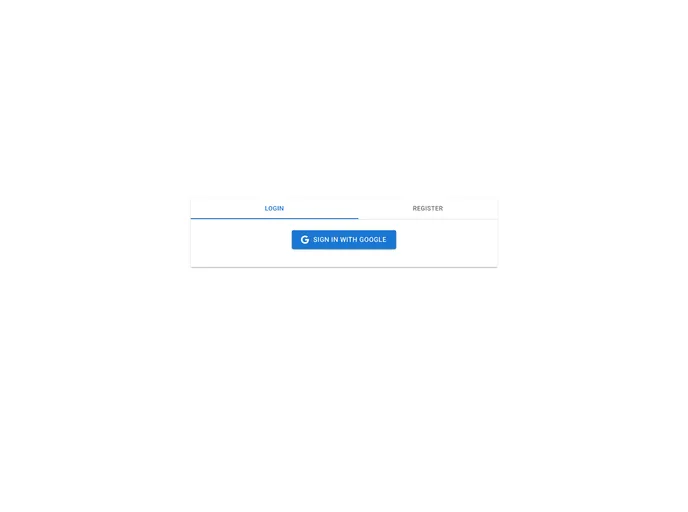
react-firebase-hooks. It includes a SignIn with Google feature, allowing users to sign in to the application using their Google accounts. - Firebase Configured: Firebase is fully configured in the template, with the
GoogleAuthProviderimplemented for authentication. - Material UI: The login screen UI is built using the
@mui/materiallibrary, providing a modern and attractive design. - Deploy on Github Pages: The template includes functionality to easily deploy the application on Github Pages, powered by
gh-pagesandspa-github-pages.
Installation
Set up Firebase:
- Go to your Firebase Console.
- Click on “Add project”.
- Follow the steps and create a project.
- Click on the web icon.
- Register the web app.
- Get the config details and add them to your
.envfile in the root of your project.
Set up SignIn with Google:
- In your project console, click on Authentication and Get Started.
- In the Sign-in method section, click on Google.
- Toggle Enable and click on Save.
Create a new screen:
- Create a new component in
src/screens. - Add the screen to your
src/config/routes.tsfile.
- Create a new component in
Deploy on Github Pages:
- Add your domain (your-github-username.github.io) to the OAuth redirect domains list in the Firebase console -> Auth section -> Sign in method tab.
- Update the
homepagefield in yourpackage.jsonto the domain you are hosting on. - Test the production build locally by updating the
homepagefield to/and running the command:npm run build. - Deploy to Github Pages by running the command:
npm run deploy.
Summary
The Create React App TypeScript Firebase Starter Template provides developers with a powerful and convenient starting point for building web applications. With features such as routing, authentication, Firebase integration, and deployment capabilities, it simplifies the setup and development process. The template also utilizes popular libraries like react-router-dom, react-firebase-hooks, and @mui/material to enhance the development experience and provide modern UI design. Whether you’re new to React and Firebase or an experienced developer, this template can help you quickly get started with your project.


