


 Github Stars:
 Last Commit:
  Created:
Overview
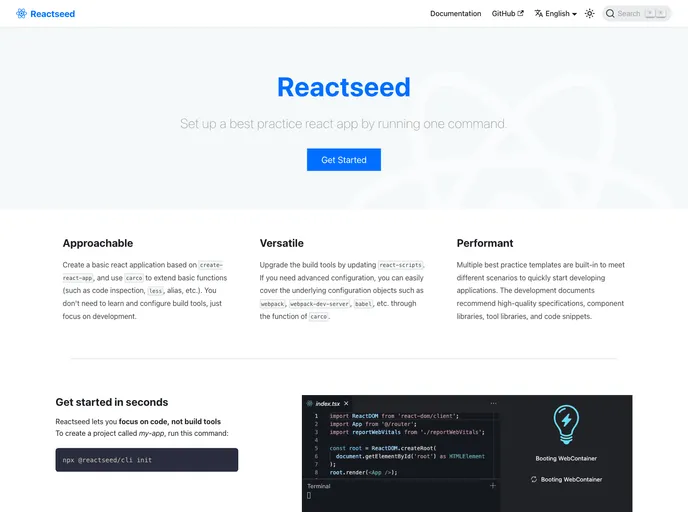
React Seed is a best practice guide for creating single-page React applications. It is based on Create React App and provides an extended set of features and templates. The goal is to simplify the development process by preconfiguring tools like webpack and Babel, allowing developers to focus on writing code. React Seed can be tried online through StackBlitz, eliminating the need for installation. The software is open source and licensed under BDS.
Features
- Extended based on Create React App
- Supports multiple template presets such as Default Template, Ant Design Template, and Ant Design Template with i18n
- No need to install or configure tools like webpack or Babel
- Easy project creation with preconfigured files and dependencies
Installation
- Install Node.js version 8.16.0 or Node 10.16.0 or later.
- Use
nvm(macOS/Linux) ornvm-windowsto switch between different Node versions. - To create a new app, choose one of the following methods:
- Use
npxcommand:npx create-react-app my-app - Install
@reactseed/cliglobally:npm install -g @reactseed/cliand then runreactseed create my-app.
- Use
- Once the installation is done, open your project folder.
- Inside the project folder, you can run various commands:
npm startoryarn start: Runs the app in development mode.npm testoryarn test: Launches the test runner in interactive watch mode.npm run buildoryarn build: Builds the app for production.npm run analyzeoryarn analyze: Analyzes JavaScript bundles using source maps.
Summary
React Seed is a best practice guide for creating React applications. It extends the functionality of Create React App and provides preconfigured tools and templates. With React Seed, developers can quickly set up projects and focus on writing code. The installation process is simplified, and there is no need to configure tools like webpack or Babel. The software is open source and licensed under BDS.


