


 Github Stars:
 Last Commit:
  Created:


Overview:
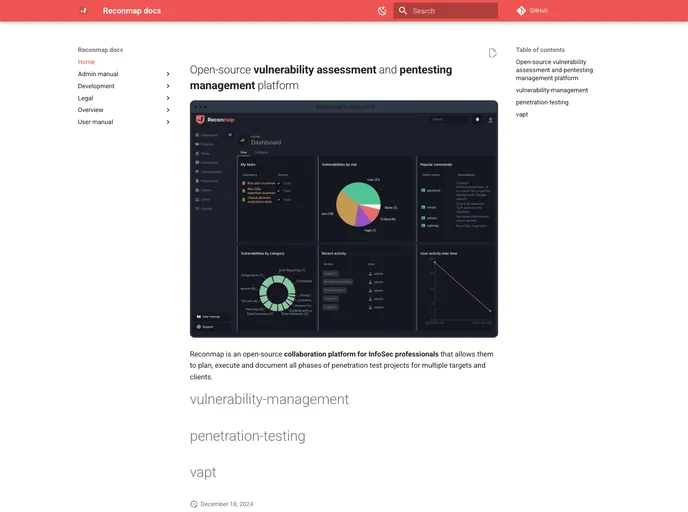
The Reconmap Web client is a key component of the Reconmap architecture. It allows users to interact with the Reconmap API to create and manage projects, tasks, commands, reports, and more. The Web client can be accessed through a browser and offers a user-friendly interface for efficiently utilizing the Reconmap platform.
Features:
- User-friendly interface: The Web client provides a clean and intuitive interface, making it easy for users to navigate and interact with the Reconmap platform.
- Project management: Users can create and manage projects through the Web client, allowing for effective organization and collaboration within teams.
- Task and command creation: The Web client enables users to create and assign tasks to team members, as well as define custom commands for execution.
- Report generation: Users can generate reports based on the data collected and analyzed within Reconmap, providing valuable insights and documentation.
Installation:
To install the Reconmap Web client, follow these steps:
- Ensure you have Docker and Make installed on your system.
- Clone the Reconmap repository from the specified source.
- Build and deploy the Reconmap workflow using the provided Docker commands.
- Access the Reconmap Web client through a browser by following the given instructions.
Here’s an example of the commands to run in the terminal:
$ git clone [RECONMAP_REPOSITORY]
$ cd [RECONMAP_DIRECTORY]
$ make build
$ make deploy-web
Summary:
The Reconmap Web client is a crucial part of the Reconmap platform, allowing users to conveniently interact with the Reconmap API and utilize various features for project management, task creation, command execution, and report generation. By providing a user-friendly interface and seamless integration with other parts of the Reconmap architecture, the Web client enhances the functionality and efficiency of the platform for security professionals and teams.


